Vincent Chu Engineering Leadership | Scale | Execution

Product-minded engineering executive for ambitious software organizations.
Apple, Electronic Arts, SaaS scaleups, analytics, and applied AI.

VideoTwin Finder app icon

Native Mac app for duplicate and similar video cleanup

VideoTwin Finder

Clean up duplicate video libraries without sending files to the cloud.

Scan local folders and external-drive libraries for exact duplicate videos and visually similar clips, then review thumbnails, metadata, keep recommendations, and reclaimable space before anything moves to Trash.

Local-firstVideos stay on your Mac and external drives.
Version 2.4Full-index scans, source filters, and stronger cache cleanup.
macOS 12+Built with SwiftUI and Apple media frameworks.

Built for real video libraries

Camera dumps, exports, mirrored clips, social edits, backups, and re-encoded files rarely look like tidy duplicates. VideoTwin Finder starts with exact matching through file size and SHA256, then compares sampled grayscale frames so renamed or re-exported videos can still be reviewed together.

Cached indexing makes repeat scans faster. You can compare a single incoming file or folder against the existing index, or include the entire cached index during a normal scan so records from disconnected and unselected drives remain part of the comparison set.

Video demo

Launch highlights

Find the copies, understand what changed, then clean up carefully.

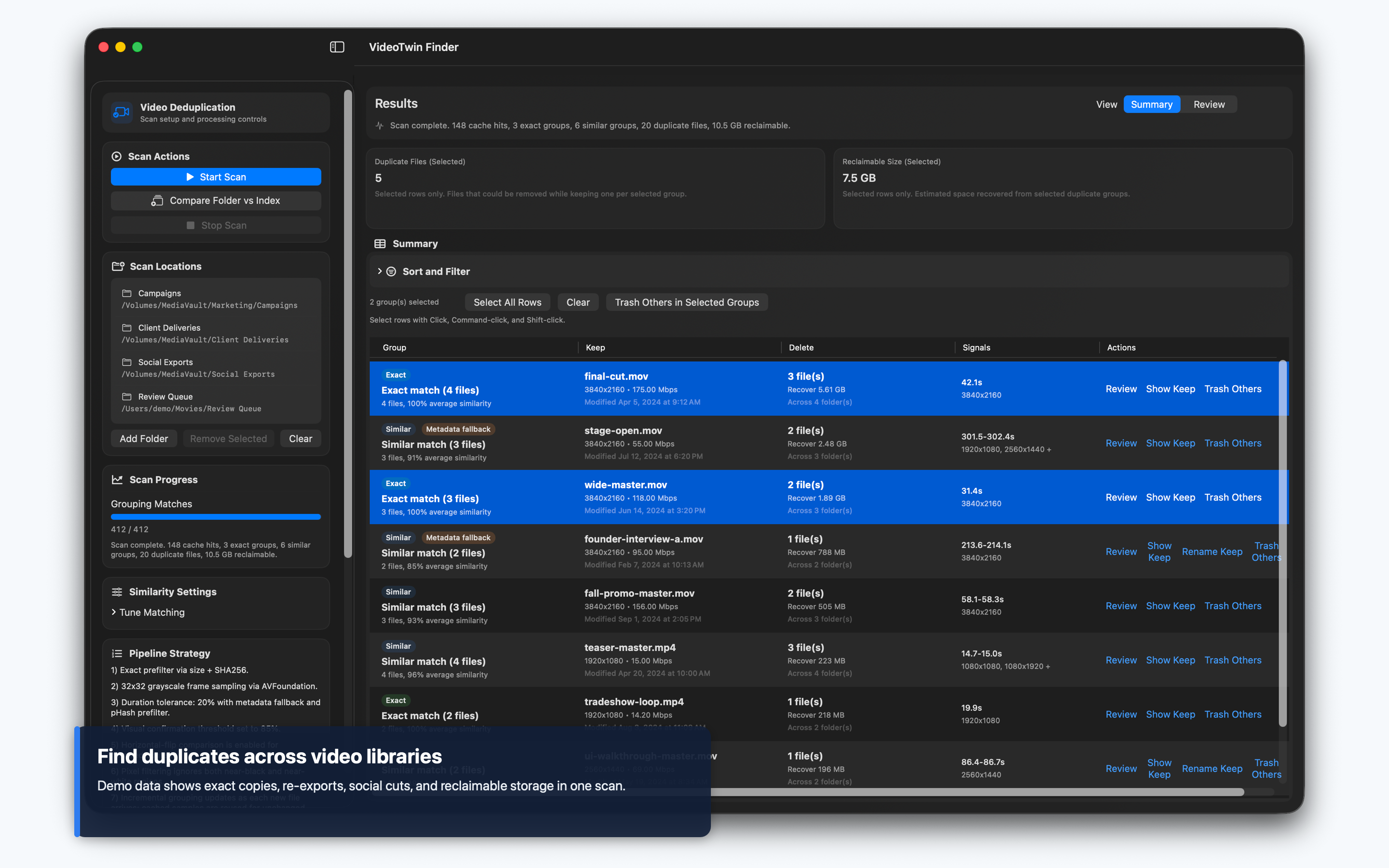
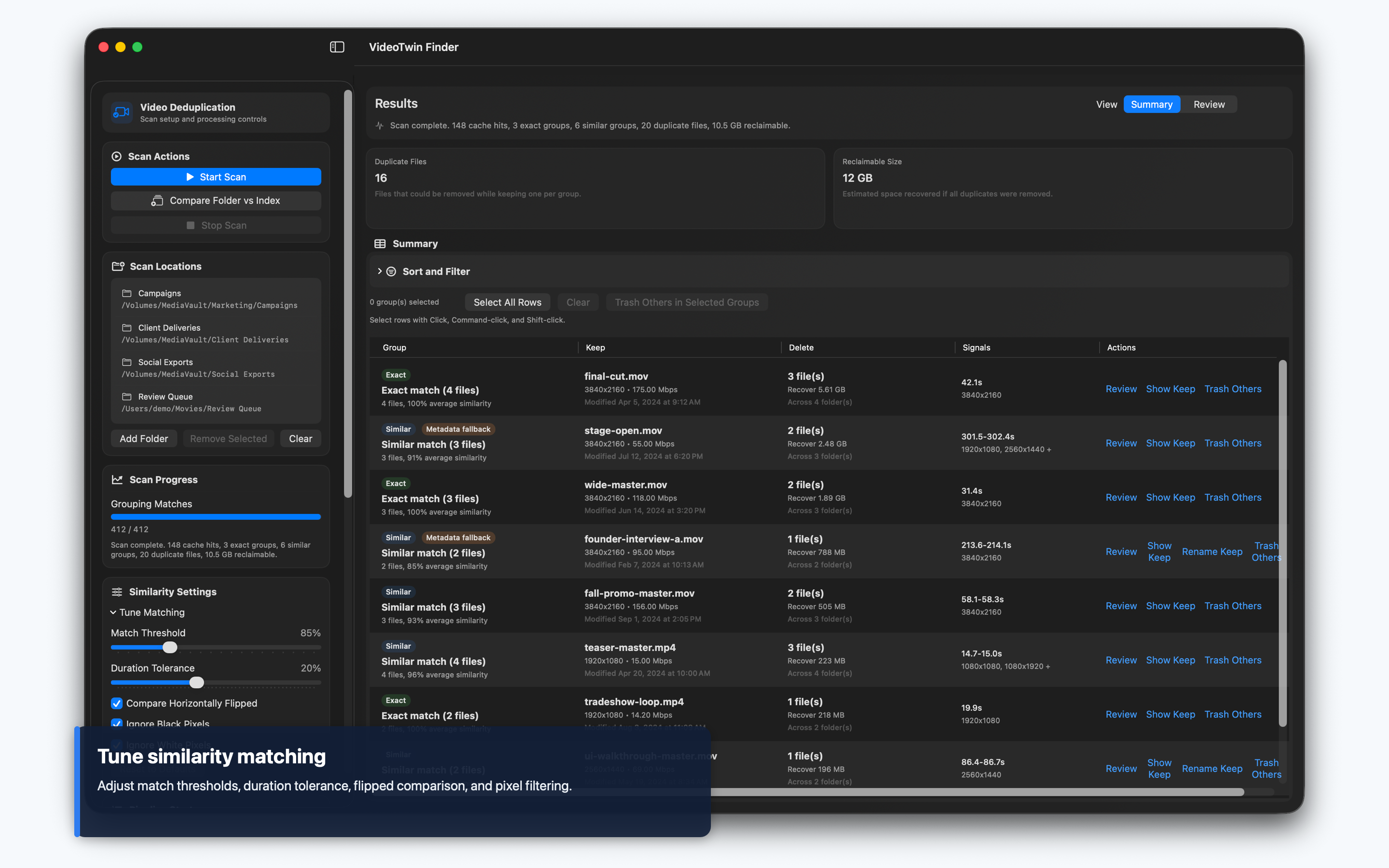
Exact and visual matchingCombines file-size/SHA256 detection with duration-aware frame similarity, pHash prefiltering, and metadata fallback.
Index-aware workflowsCompare selected folders, individual files, or incoming drives against a saved library index without replacing your scan roots.
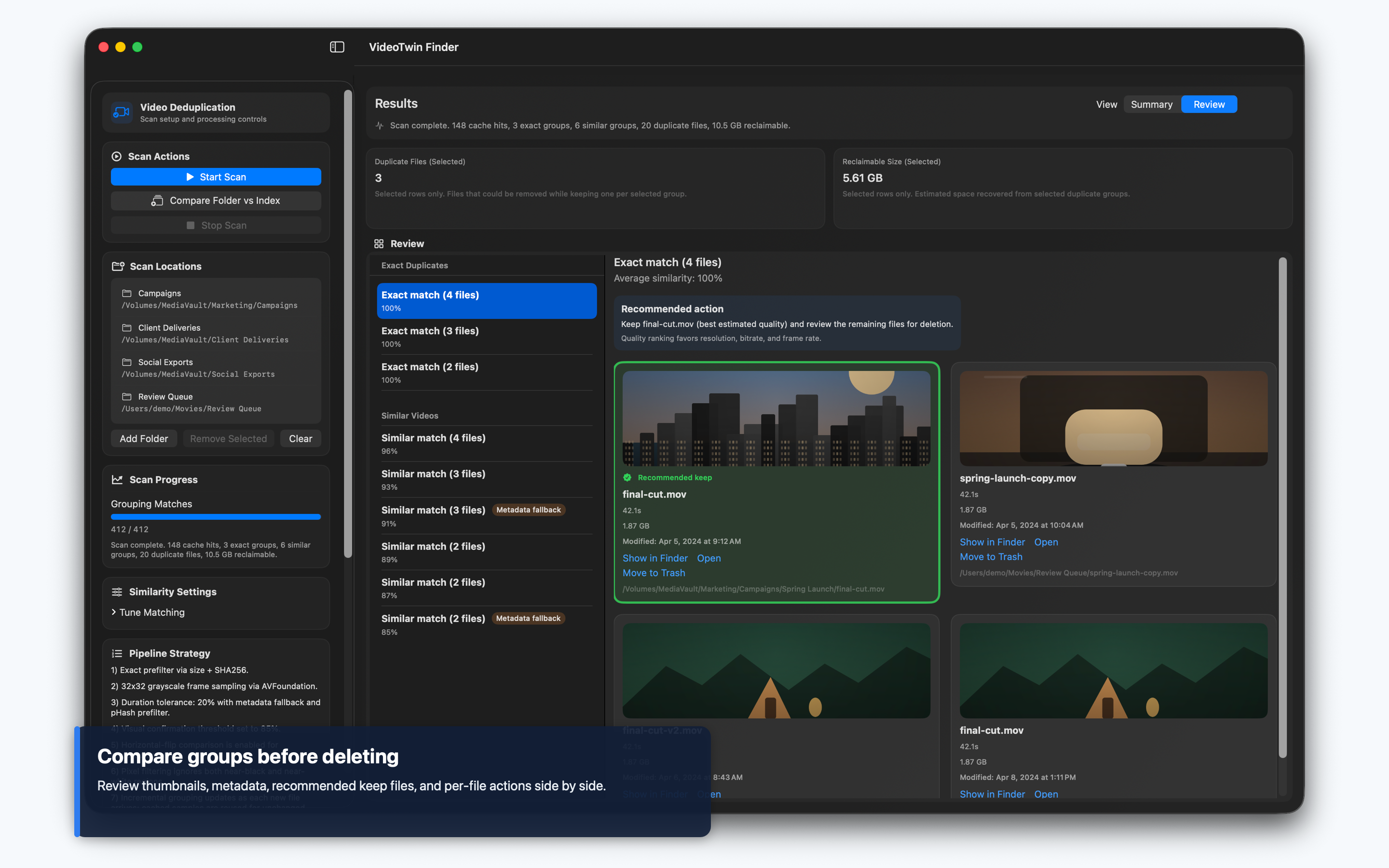
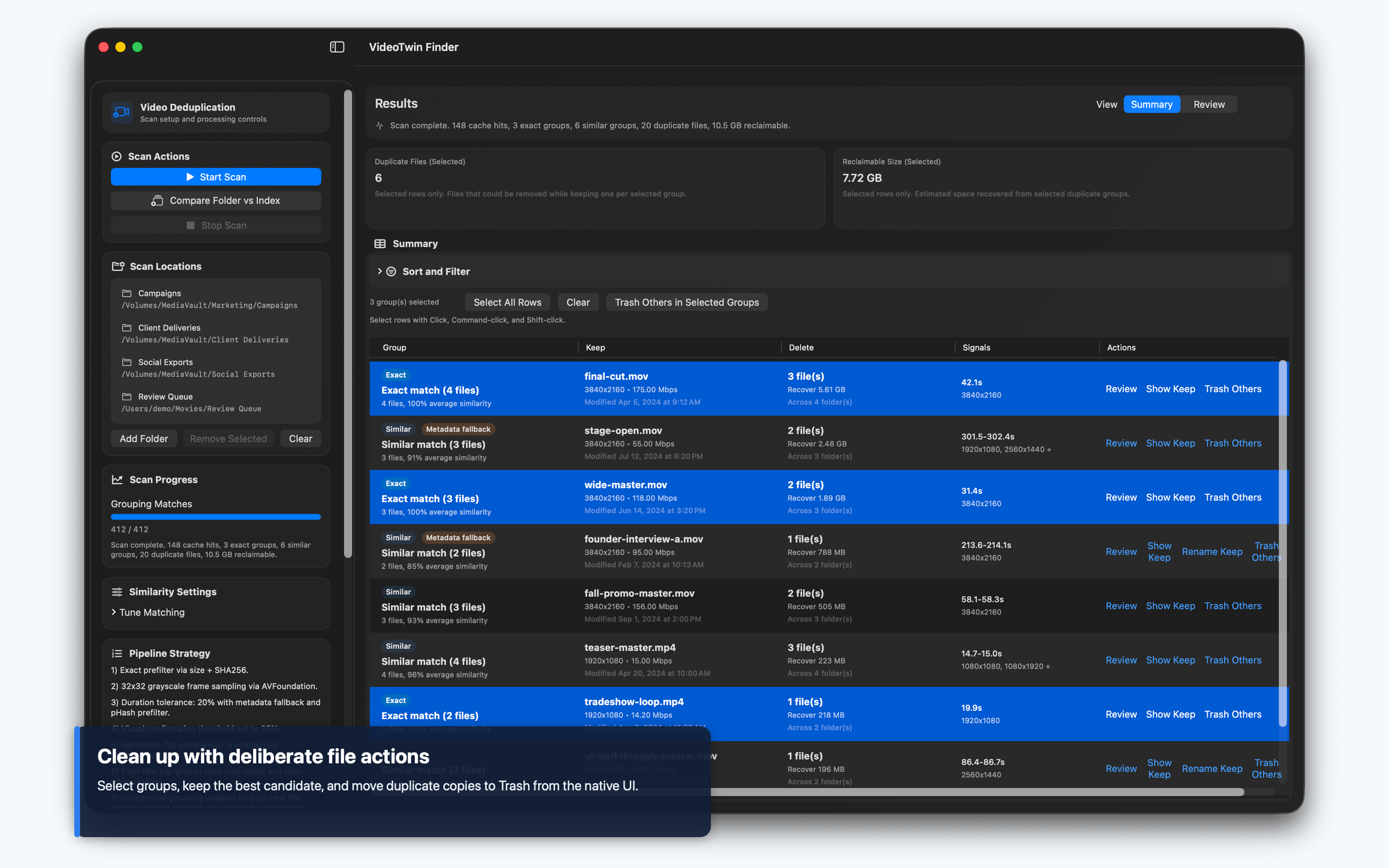
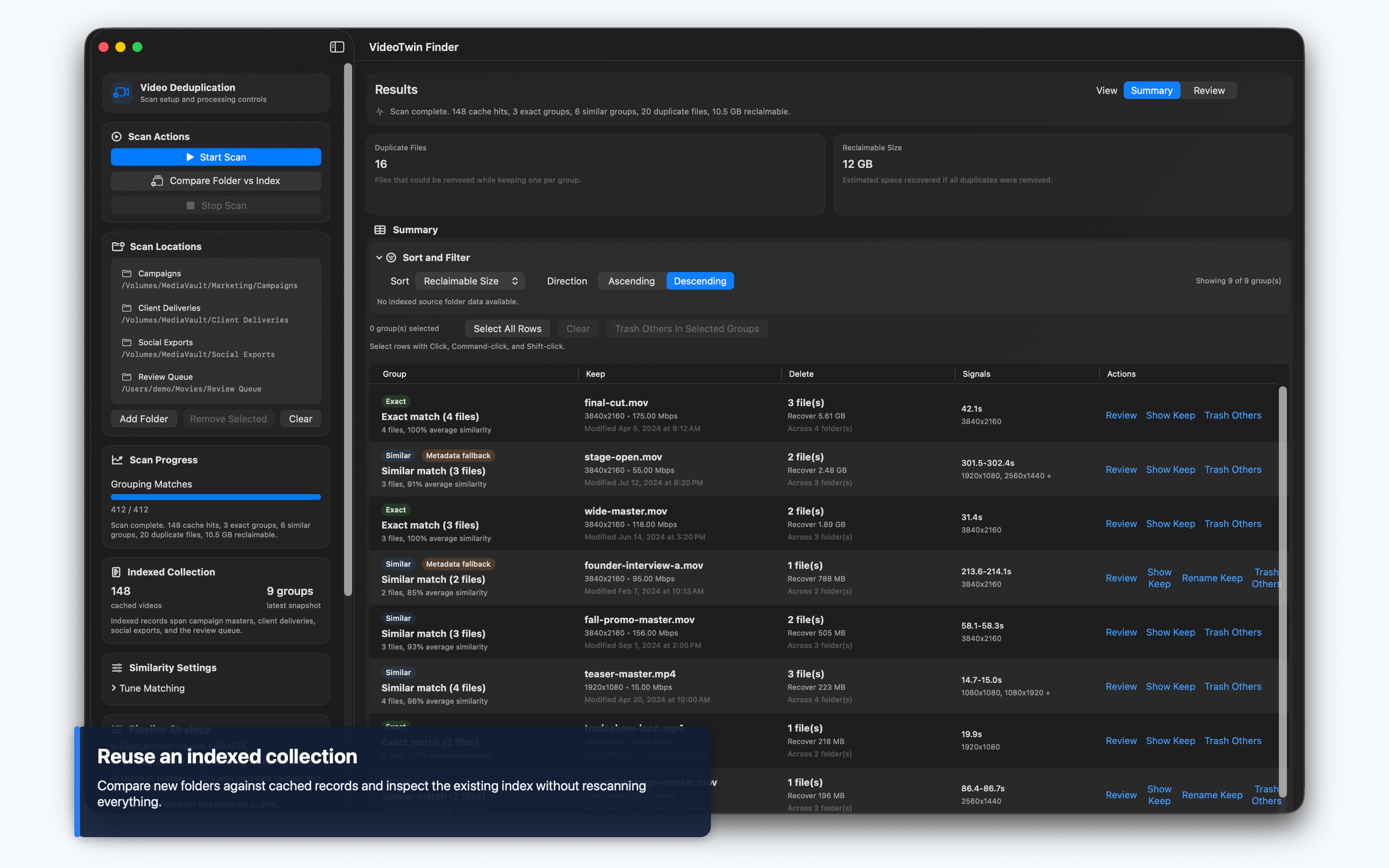
Review before deletingUse thumbnails, codecs, bitrate, resolution, modified dates, source folders, and keep recommendations before moving files to Trash.
Large-library triageSort and filter groups by reclaimable space, duplicate count, duration, file size, similarity, discovery time, or indexed source folder.

Screenshots

VideoTwin Finder summary table with duplicate video groups and reclaimable storage
VideoTwin Finder review mode showing duplicate video thumbnails and metadata VideoTwin Finder cleanup actions for keeping recommended files and moving duplicates to Trash VideoTwin Finder matching settings for similarity threshold and scan behavior VideoTwin Finder index storage settings and cached collection stats

Workflow

1. Build your indexSelect one or more folders, including external drives, and let VideoTwin Finder discover video metadata, hashes, and frame samples.
2. Compare intelligentlyRun a normal scan, include the entire existing index, or check a new file or folder against the cached library.
3. Review grouped resultsInspect exact and similar groups in Summary or Review mode with thumbnails, match context, and source-folder filtering.
4. Clean up with controlReveal files in Finder, open them, rename the recommended keep file, remove stale index records, or move unwanted copies to Trash.

Available now

Ready for messy Mac video libraries.

VideoTwin Finder is macOS-only, native SwiftUI, and intentionally local-first. It supports English and Traditional Chinese.

Download on the Mac App Store