
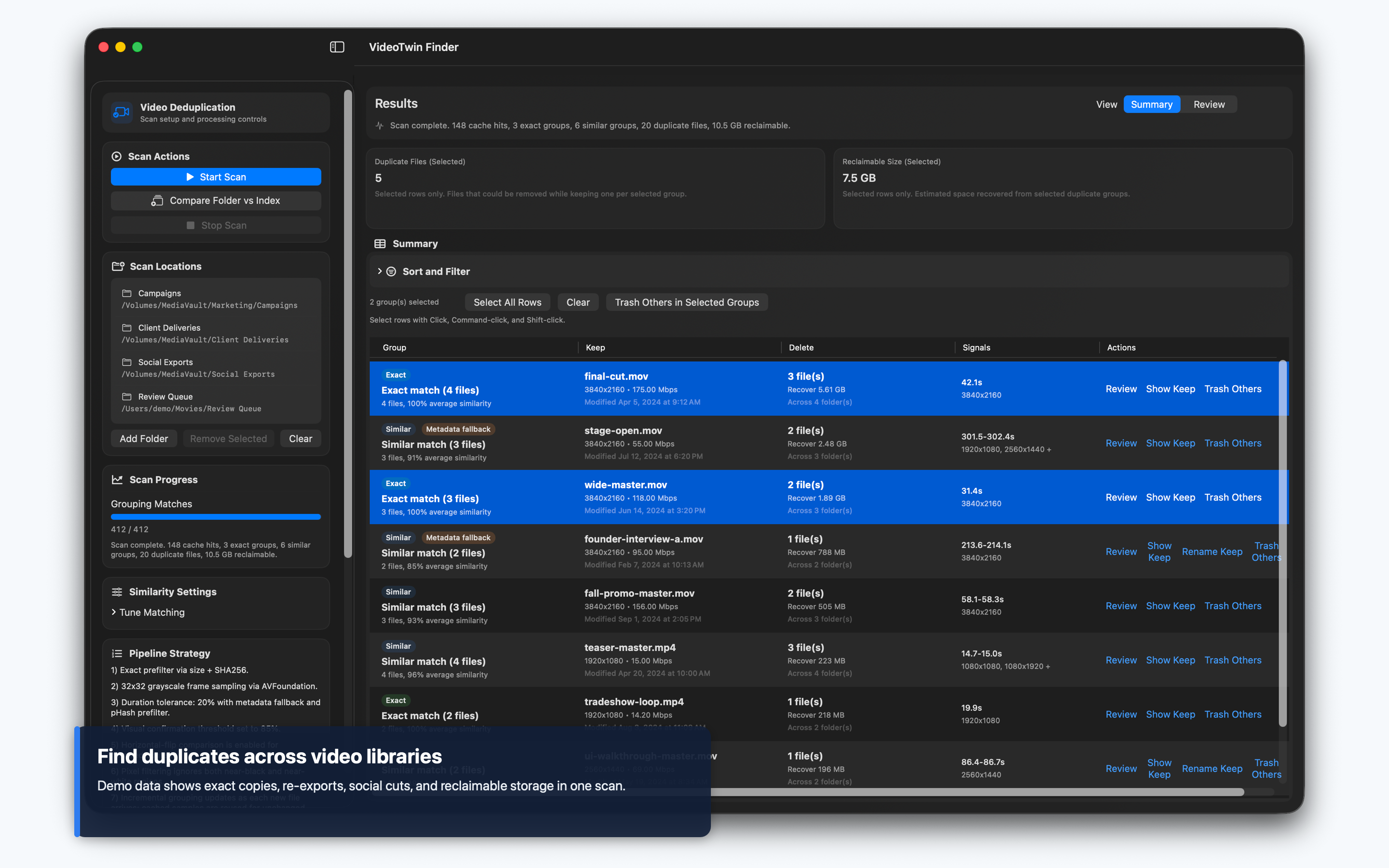
完全重複 + 近似重複即使檔名或編碼不同,也能找出重複影片。
看見可釋放的空間優先找出能騰出最多儲存空間的重複影片群組。
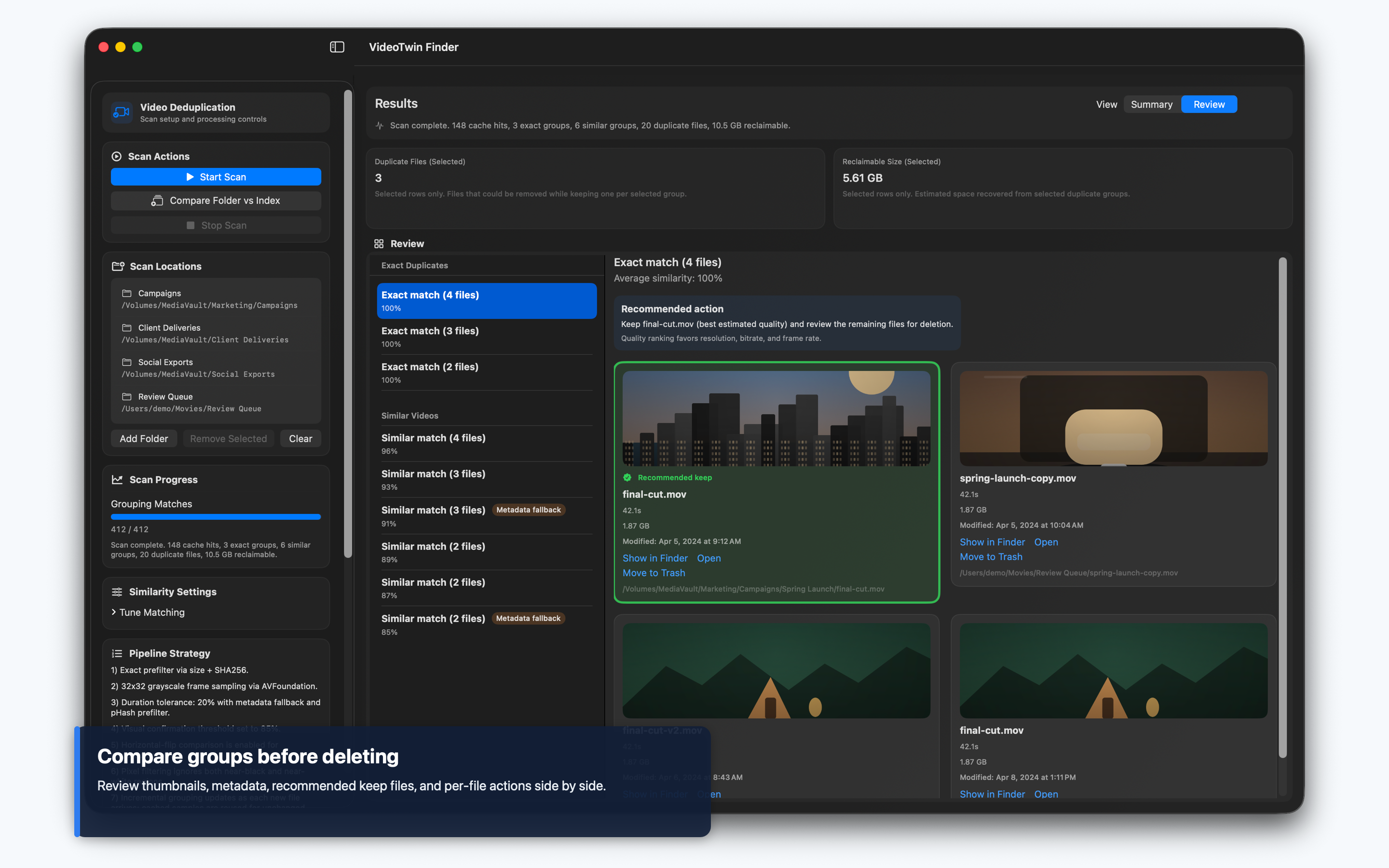
丟到垃圾桶前先檢查比較縮圖與檔案詳細資料,再決定要保留哪些影片。
為真實影片庫而建
Camera dumps、exports、mirrored clips、social edits、backups 與 re-encoded files 很少像乾淨的重複檔那麼簡單。VideoTwin Finder 先用 file size 與 SHA256 做 exact matching,再比較取樣的 grayscale frames,讓改名或重新輸出的影片仍能被放在一起檢查。
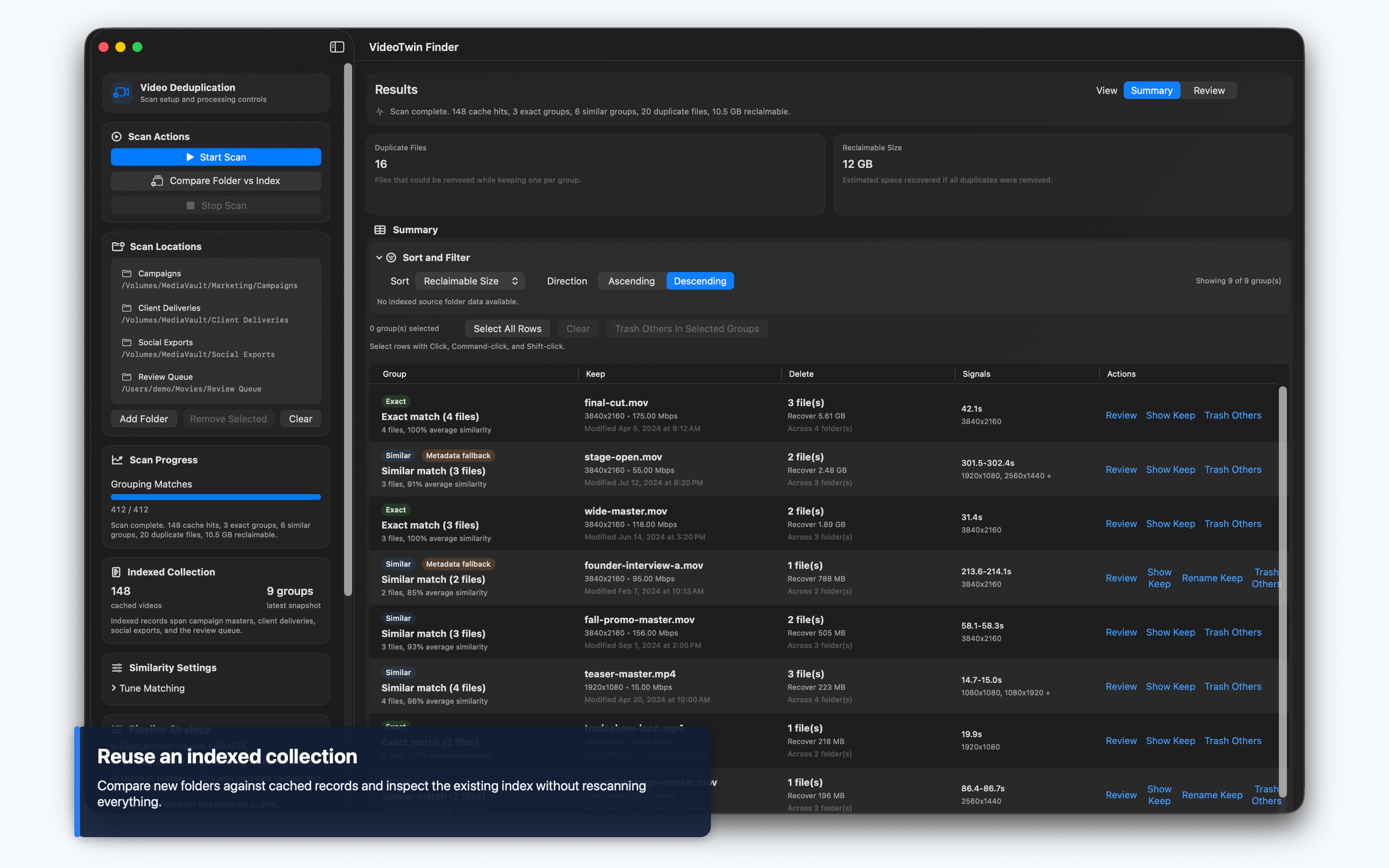
Cached indexing 讓重複掃描更快。你可以把單一 incoming file 或 folder 與現有 index 比較,也可以在一般掃描時納入完整 cached index,讓目前未連接或未選取硬碟的紀錄仍參與比較。
觀看 VideoTwin Finder 實際操作
英文示範 · 0:46 · 在 YouTube 觀看
重點功能
找出副本、理解差異,然後謹慎清理。
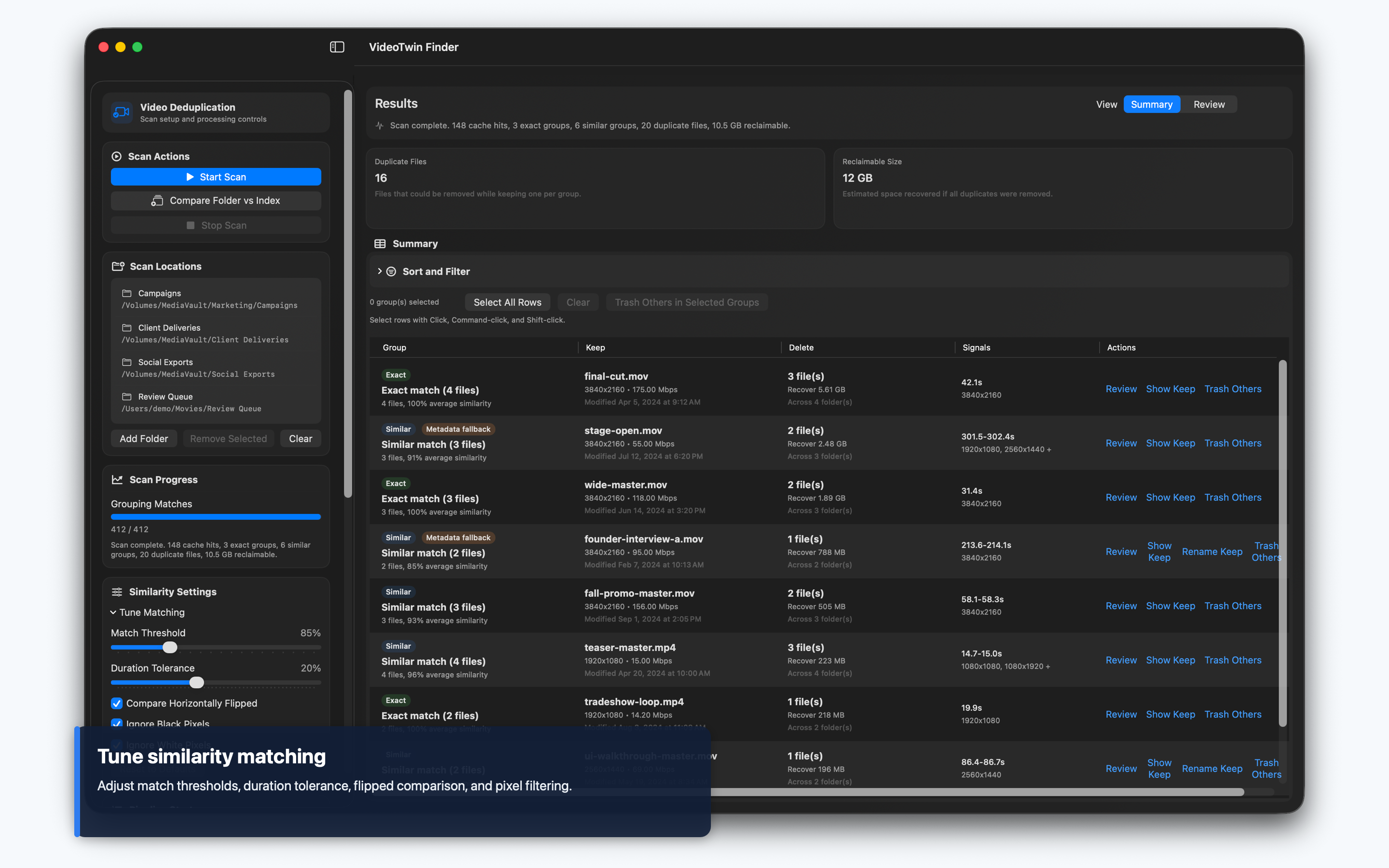
Exact 與 visual matching結合 file-size/SHA256 detection、duration-aware frame similarity、pHash prefiltering 與 metadata fallback。
Index-aware workflows可以比較選取資料夾、個別檔案或 incoming drives,並對照已儲存的 library index。
刪除前先檢查在移到 Trash 前,先看縮圖、codecs、bitrate、resolution、modified dates、source folders 與 keep recommendations。
大型影片庫 triage依可回收空間、重複數量、duration、file size、similarity、discovery time 或 indexed source folder 排序與篩選。
截圖
工作流程
1. 建立 index選取一個或多個資料夾,包含外接硬碟,讓 VideoTwin Finder 找出 video metadata、hashes 與 frame samples。
2. 智慧比較執行一般掃描、納入整個既有 index,或將新檔案/資料夾與 cached library 比較。
3. 檢查分組結果在 Summary 或 Review mode 檢查 exact 與 similar groups,包含縮圖、match context 與 source-folder filtering。
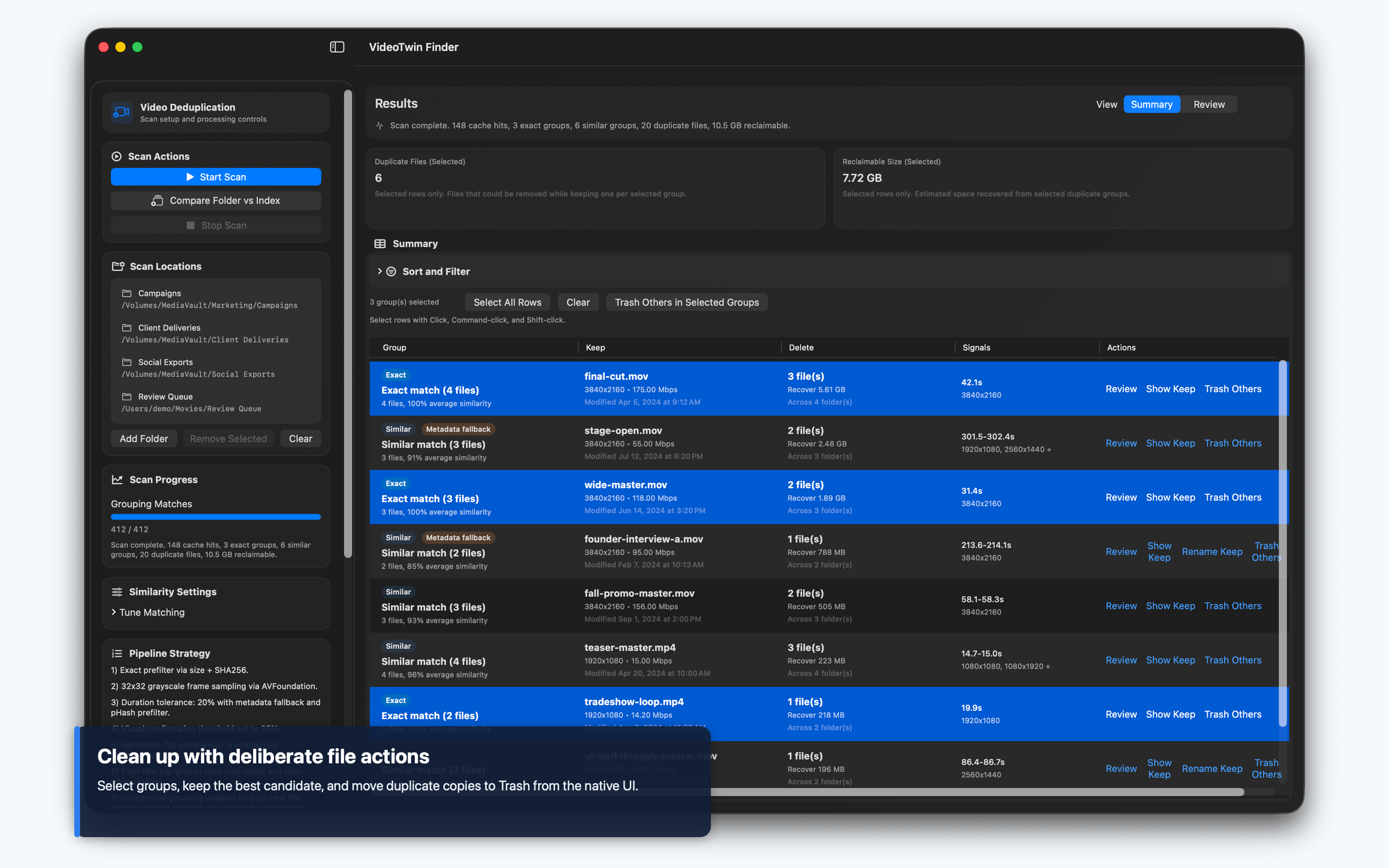
4. 可控地清理Reveal files in Finder、開啟檔案、重新命名建議保留檔、移除 stale index records,或把不需要的副本移到 Trash。
現在可用
為混亂的 Mac 影片庫而準備。
VideoTwin Finder 只支援 macOS,是原生 SwiftUI 並刻意採 local-first 設計。介面支援繁體中文、日文及其他語言。