Product-minded engineering executive for ambitious software organizations.
Apple, Electronic Arts, SaaS scaleups, analytics, and applied AI.

NetCurb app icon

Per-app data control for Mac

NetCurb

Keep the right apps online when every megabyte matters.

See which Mac apps are using your connection, block the ones that can wait, and set individual data limits. NetCurb is built for travel, phone tethering, roaming, and any connection where background traffic can quietly use up your allowance.

Control each appMonitor upload and download usage, block access, or set a data allowance.
Made for tetheringUse a Travel Hotspot profile with tighter rules for limited connections.
Private by designNo account, analytics, ad trackers, traffic inspection, or browsing history.

Built for the road

When I travel and tether my Mac to my phone, I want messages, meetings, and essential work to stay online without cloud sync, backups, media, updates, or forgotten downloads consuming the connection in the background. NetCurb makes that tradeoff visible and controllable app by app.

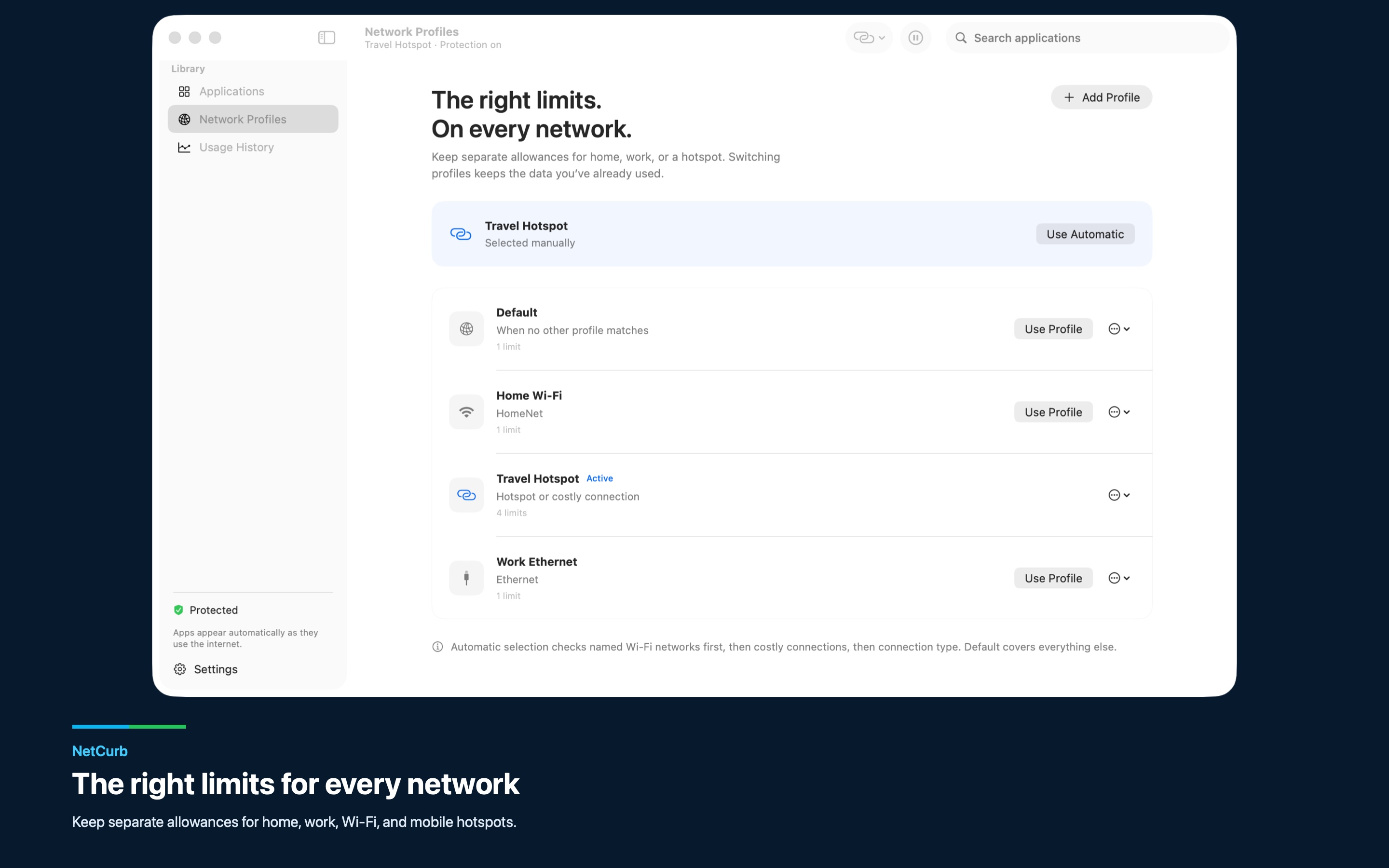
Create separate profiles for home, work, and a travel hotspot. Choose one manually, match a profile to the hotspot's Wi-Fi name, or use macOS's costly-connection signal. NetCurb measures traffic from this Mac; it does not read your carrier balance or usage from other devices.

Highlights

Reserve a limited connection for the apps that matter.

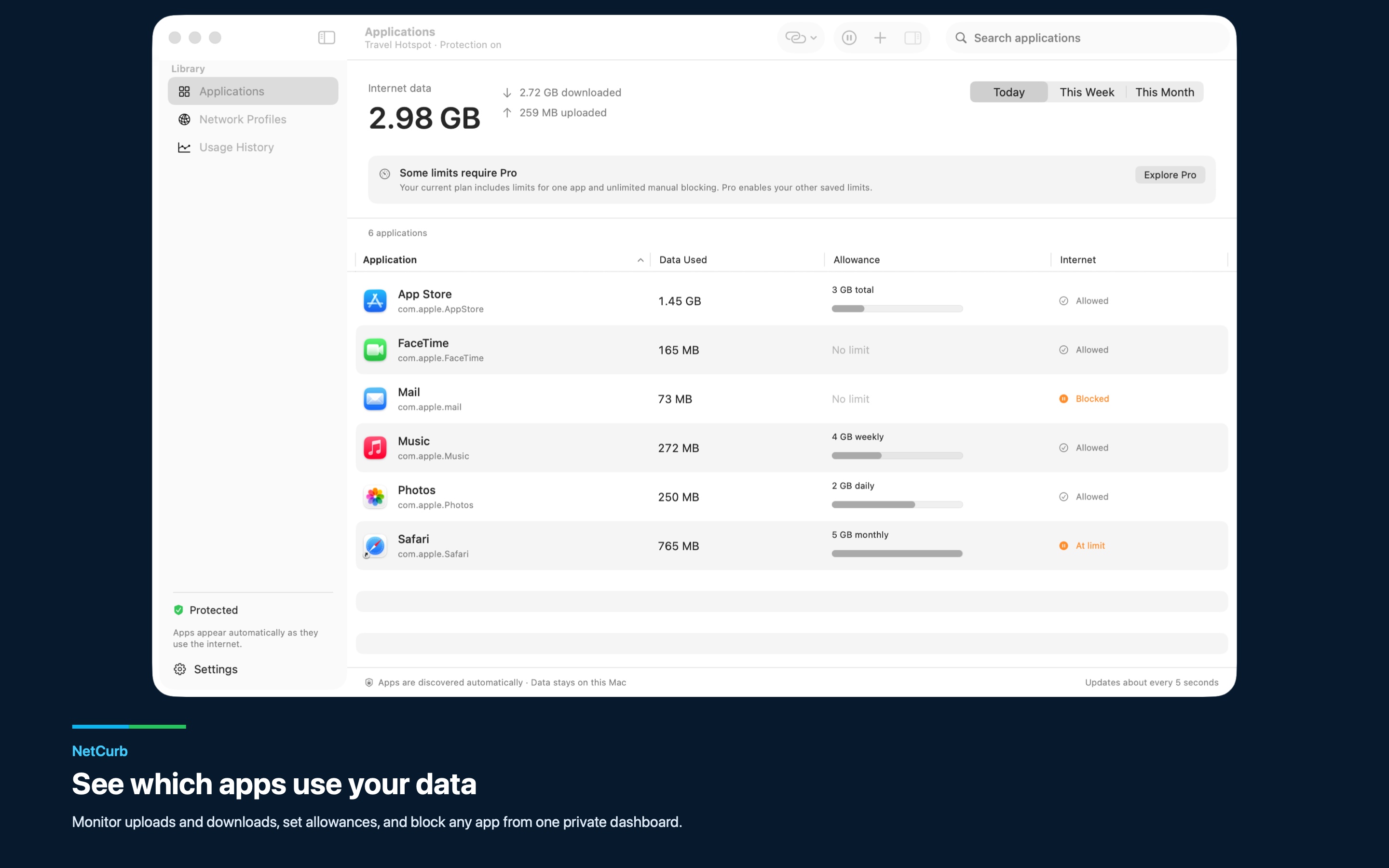
Per-app monitoringSee identified apps as they connect, with separate upload, download, today, week, and month totals.
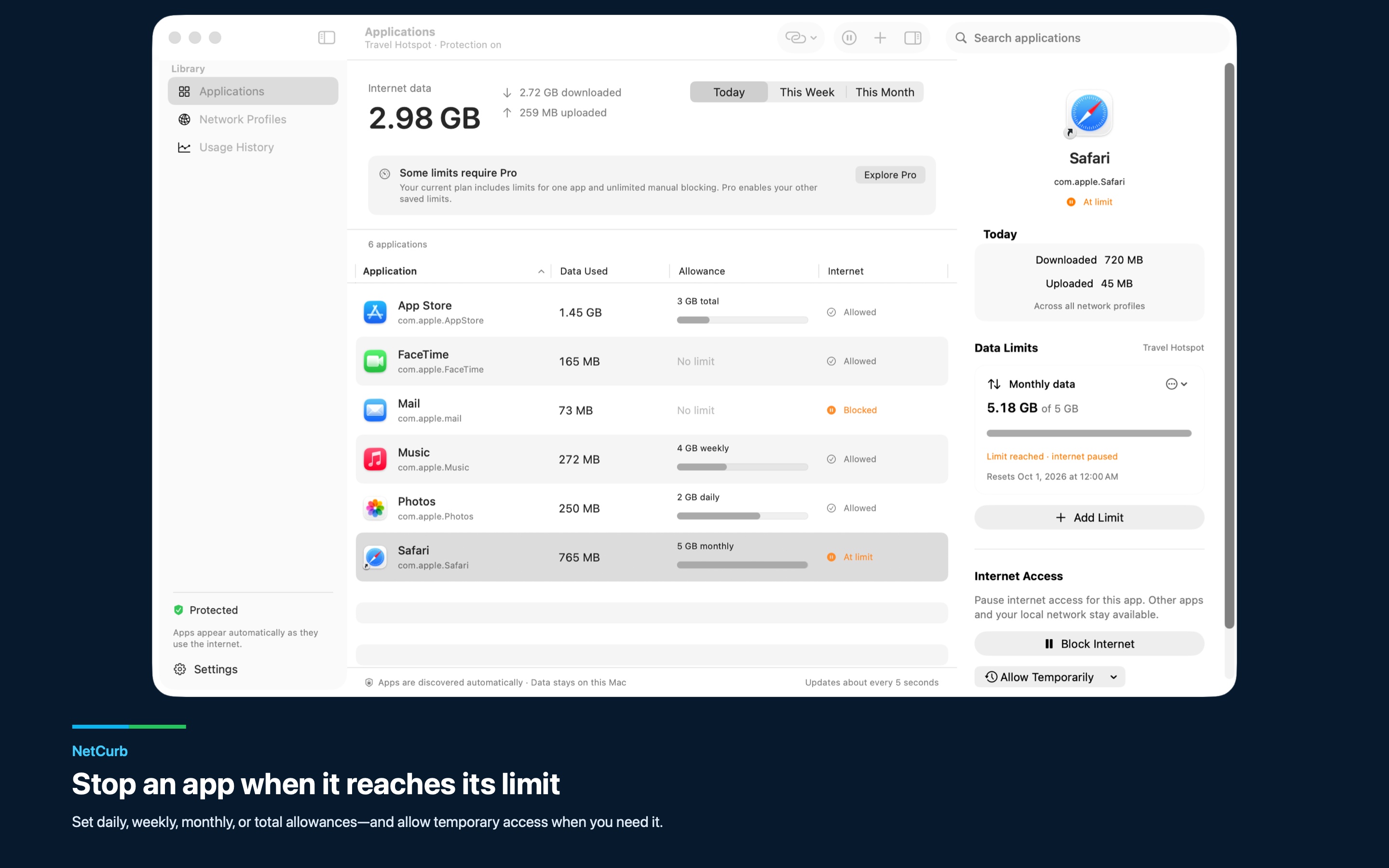
Limits that fit the networkSet combined, upload, or download allowances that reset daily, weekly, monthly, or never.
Block or allowManually block an app, stop it after a limit is reached, or grant temporary access when it needs to get online.
Network profilesGive the same app different rules at home, at work, and on a travel hotspot.
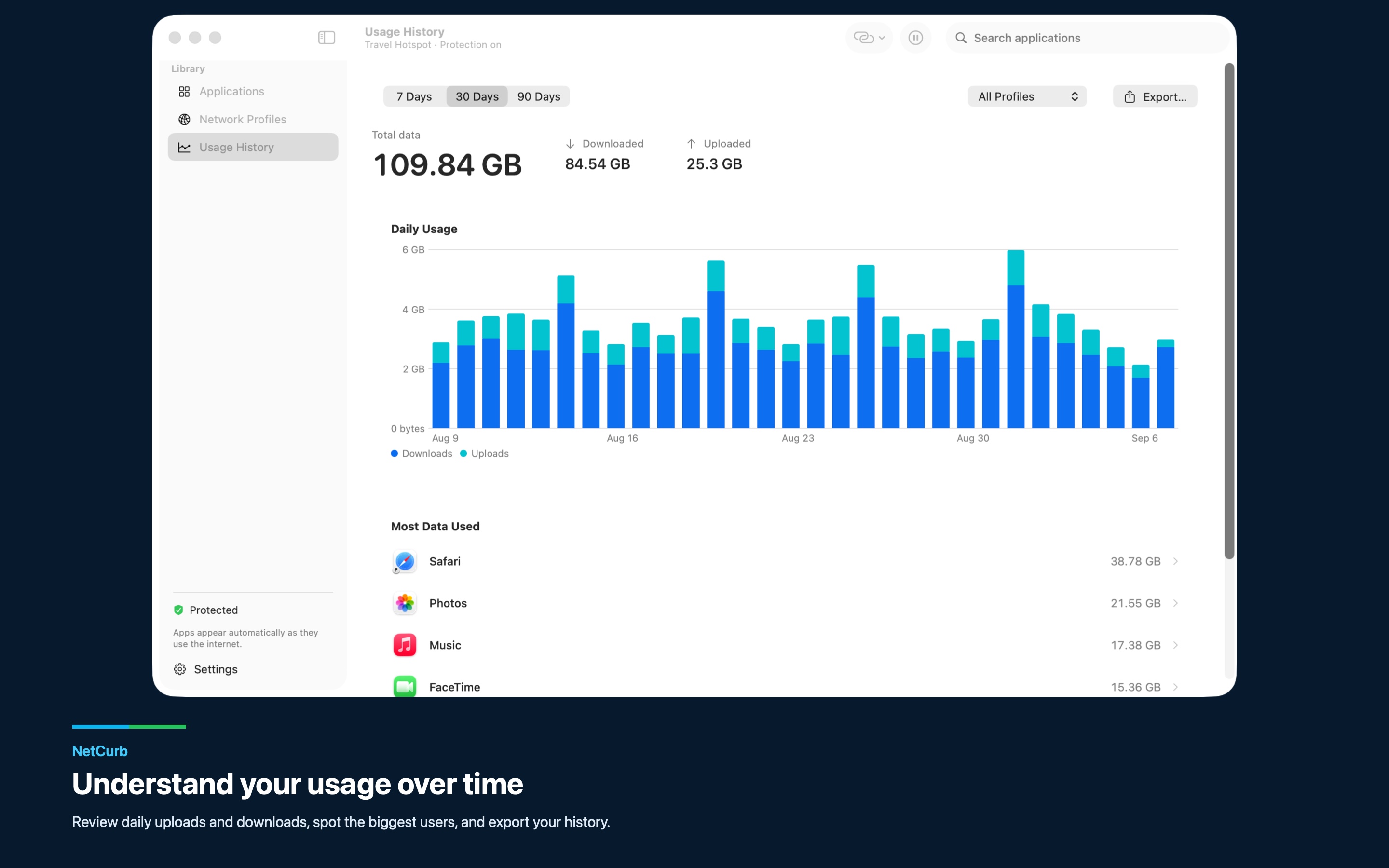
History and exportReview daily usage to find heavy consumers and export the records as CSV.
Local recordsSettings and aggregate usage stay on your Mac; traffic content and destinations are not recorded.

Screenshots

NetCurb dashboard showing per-app upload and download usage
NetCurb editor for setting per-app data limits and warnings NetCurb network profiles for travel hotspots, home, and work NetCurb daily data usage history by app NetCurb application data usage monitor

Travel workflow

1. Start protectionApprove NetCurb's network extension in System Settings and enable protection.
2. Make a profileCreate a Travel Hotspot profile and match it to the tethered connection.
3. Choose what runsAllow essential apps while blocking or limiting background-heavy ones.
4. Watch the budgetCheck usage and warnings, then grant temporary access only when needed.

Available now

Take control before background apps take your hotspot data.

NetCurb is free to download for macOS 26 or later. Monitoring, manual blocking, history, CSV export, and limits for one app are included; a one-time Pro purchase unlocks limits for additional apps.

Download on the Mac App Store