Historical Project Notice: This project is over 20 years old (from university years). Please visit Projects to see my current projects.
3D-Backhoe
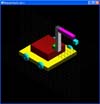
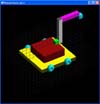
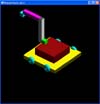
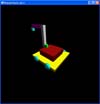
This is the first 3D project that I have done in my life using OpenGL and C++ only. Basically what this program does is to allow you to control the backhoe.
In order to run the program however, you may need the following library in your system directory: glut32.dll
Control of Backhoe (Readme):
Press 1 and move the mouse while the left mouse button is held would
move the backhoe back and forth
Press 2 and move the mouse while the left mouse button is held would
rotate the red base
Press 3 and move the mouse while the left mouse button is held would
rotate the white arm
Press 4 and move the mouse while the left mouse button is held would
rotate the purple arm
Press 5 and move the mouse while the left mouse button is held would
rotate the blue box
You can also control the following from the menu
or from the keyboard:
"W" or "Wireframe" in menu corresponds to wireframe
mode
"o" or "orthogonal view" in menu corresponds to
orthogonal view mode
"p" or unchecking "orthogonal view" in menu corresponds
to perspective view mode
"x" or "x rotation" in menu corresponds to rotating
the whole scene along the x axis
"y" or "y rotation" in menu corresponds to rotating
the whole scene along the y axis
"z" or "z rotation" in menu corresponds to rotating
the whole scene along the z axis